Internet basics
Internet speed, latency and jitter: what your business actually feels.
Understand Mbps, upload speed, latency, jitter and packet loss—and why a high speed-test result does not guarantee smooth calls or reliable payments.

The quick answer
Speed measures how much data moves. Latency measures delay. Jitter describes changing delay, and packet loss means some data did not arrive. A useful diagnosis checks the combination, not one headline number.
A connection can download quickly and still feel unresponsive. A large file transfer and a short conversation ask different things from a network. Understanding the measurements helps you explain the problem and avoid paying for an upgrade that does not address it.
Mbps is capacity or transfer rate—not response time
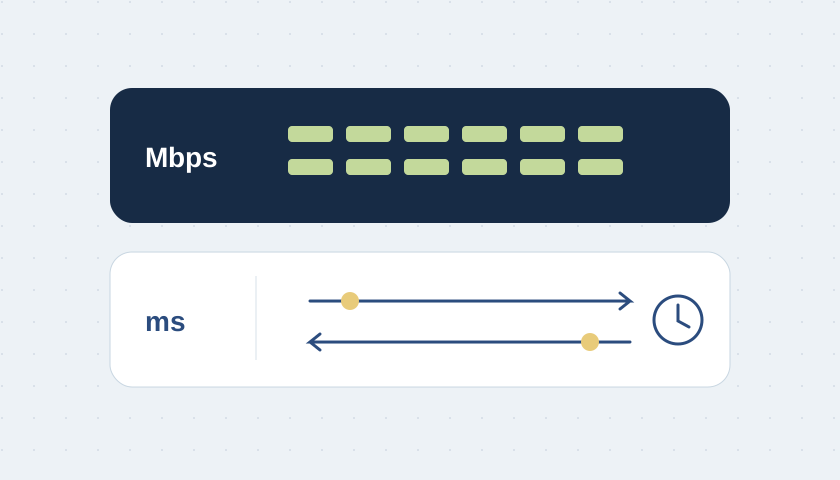
An Internet plan usually advertises a rate in megabits per second (Mbps). Throughput is the rate actually achieved in a particular transfer. A speed test is one observation along one path; it is not a promise that every device or application will reach the same result.
Source: Cloudflare · What is latency?
Upload matters as much as your workflow requires
Sending cloud backups, camera footage and your side of a video call uses upload capacity. Receiving files uses download capacity. Record both results and compare them with your workload. A busy upload can be the useful clue even when the download number looks impressive.
Illustrative example: calls deteriorate while an office uploads a large archive. Repeat a controlled comparison with and without that transfer at an appropriate time. That supports a congestion investigation; it does not, by itself, prove that the provider is at fault.
Latency is the waiting time
Latency is delay, usually expressed in milliseconds (ms). A ping typically reports round-trip time: out to a destination and back. Compare the same destination and method. A local server and a server across the world are different tests, so their numbers are not directly interchangeable.
Source: Cloudflare · What is latency?
Jitter is variation in delay
Packets do not always arrive with consistent delay. That variation is often called jitter. Different tools calculate it differently, so compare like-for-like measurements rather than treating every jitter number as the same metric.
Packet loss is missing delivery
Packet loss means some packets do not reach the destination within the measurement’s criteria. Record the tool, destination and sample period with the result.
Compare quiet and busy conditions
Measure responsiveness while the connection is relatively idle and while a controlled upload or download is running. Tests that report loaded and unloaded latency help reveal that difference.
Keep a small, repeatable test log
Record the time, device, wired or Wi-Fi connection, test destination, download, upload, delay and the application symptom. Repeat from the same place. If wired operation is stable and only Wi-Fi struggles, investigate the local wireless path first. If both degrade together, include the gateway, uplink and provider in the investigation.
The right outcome might be a configuration change, better traffic scheduling, a repaired cable or additional capacity. Choose the remedy from evidence. Buying more Mbps should answer a demonstrated capacity problem, not substitute for a diagnosis.